Hoobuy Spreadsheet Link Desk · Find it. Check it.

Find a product, keep its source link and understand the purchase that follows. Start with a category or search, then use the guides when you are ready to choose, order or ship.

Browse Hoobuy Spreadsheet by category

Open a product category to explore finds. Check the seller’s current listing for the exact item, options and availability.

What is Hoobuy Spreadsheet?

A collection of product links, organised for browsing, with guidance for the next steps. This Link Desk connects a find with its seller, selected options and the buying process. The seller’s listing is where you check what is available.

Understand the Spreadsheet

Why use this Hoobuy Spreadsheet?

Browse by category, read a saved URL with the local link reader, and return to the relevant guide as the order progresses. Keep size and colour in your own notes; the reader cannot select them for you.


See what the Link Desk offers
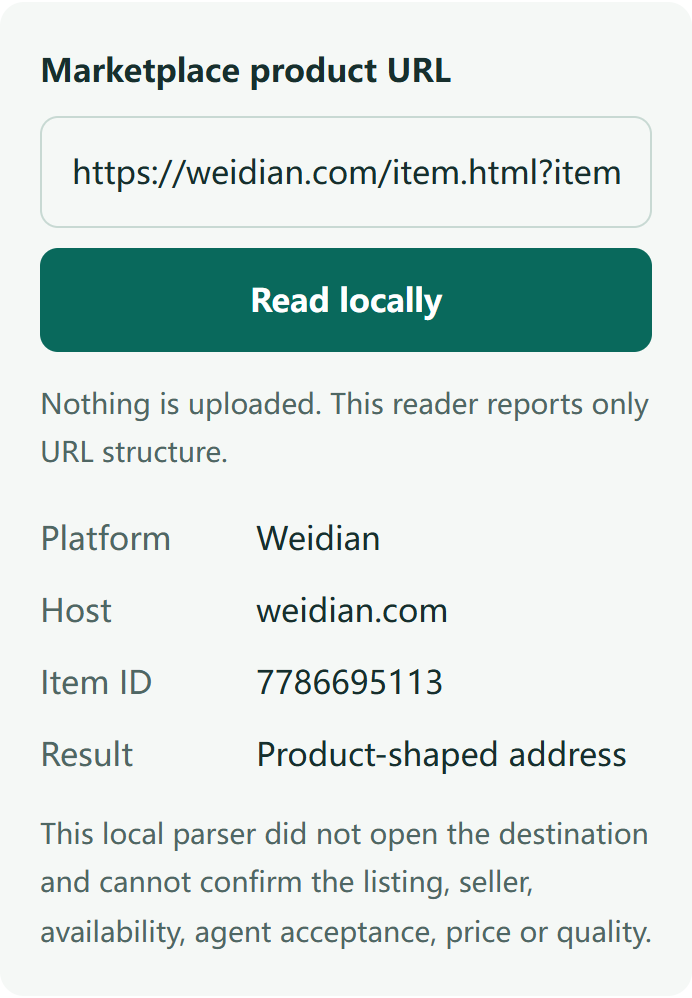
Example from the live Link Desk reader showing a Weidian URL and detected item ID
Example result from this site’s link reader. Open the tool to read your own URL.

How to use this Hoobuy Spreadsheet

  1. Find a candidate through search or a category.
  2. Open the source and compare the seller, measurements and available options.
  3. Save the URL with your exact size, colour and quantity. Use the link reader if the address is unclear.
Follow the browsing steps

How to use Hoobuy

  1. Order. Import the source link, confirm the option and pay the purchase total.
  2. Check. Review warehouse QC. Request missing photos or resolve a return before packing.
  3. Ship. Select ready items, packaging and a route, then pay the parcel quote.
  4. Receive. Follow tracking and check the contents when they arrive.
Read the complete buying guide
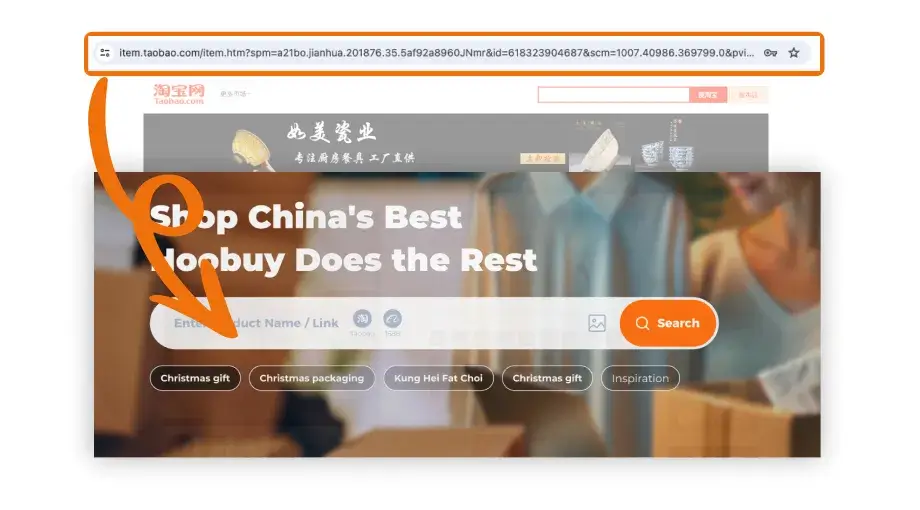
Official Hoobuy tutorial showing a source listing URL pasted into product search
Hoobuy’s tutorial shows where the source URL goes. Open the guide to follow the ordering steps.

Guides, tools and help

Continue from the stage you are at. The detailed pages keep the checks, costs and support steps together.

Official How to Buy in Hoobuy tutorial cover
Open Hoobuy’s video guide from the Buying Guide. The tutorial opens on Hoobuy.

Buying Guide

Choose a seller and product, plan both payments, review QC and arrange delivery.

Help Center

Find the right order or parcel record, prepare a clear request and understand the terms you see.

Already have a product link? Open the link reader →

For dated guide changes, observed offers and community context, read the updates.