Your Hoobuy order, from selection to delivery
Use one item record through the purchase, then a separate parcel record when you ship. Keep the original link so you can compare what you chose with what arrived.
Start with using the Spreadsheet or understanding Hoobuy. Need a tool or an answer? Open the link reader, Help Center or FAQ.
How to use Hoobuy
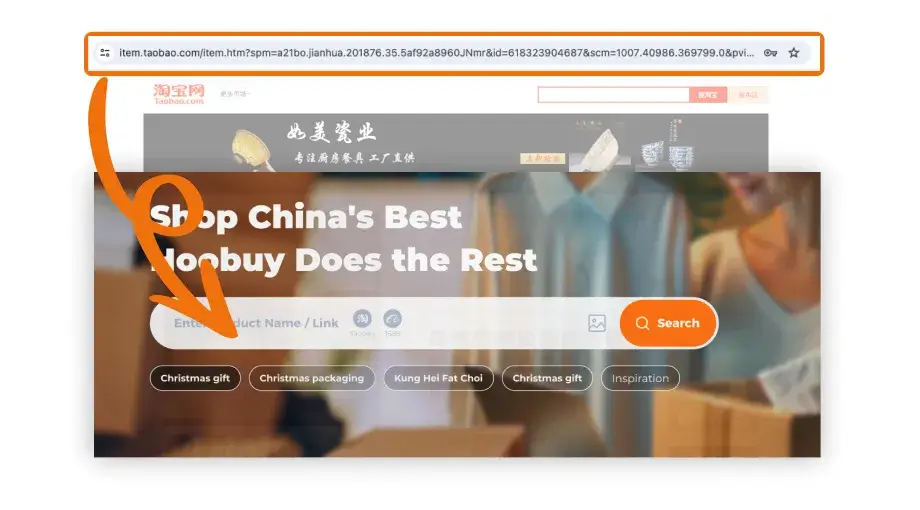
- Choose and submit. Save the seller link and intended options. Sign in to Hoobuy, paste the source URL into product search and compare the imported item with the original.
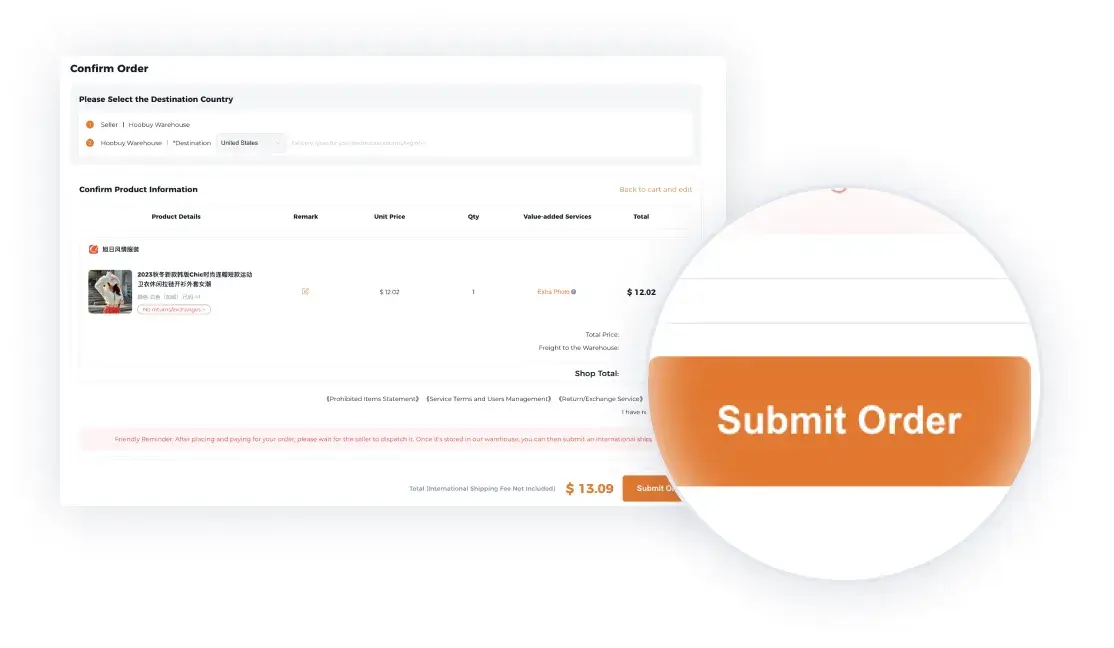
- Make the first payment. Confirm the product, domestic delivery and displayed purchase charges, then pay and keep the order reference.
- Review warehouse QC. After receipt, open the Warehouse area in User Center. Match the item to your order. Request a missing view, or ask about return/exchange eligibility and costs before submitting a parcel.
- Build the parcel. Choose the ready items, packing and a suitable route. Compare the full quote, restrictions and tracking terms using the actual parcel information.
- Pay for international delivery. Read the final parcel charges and declaration information before confirming.
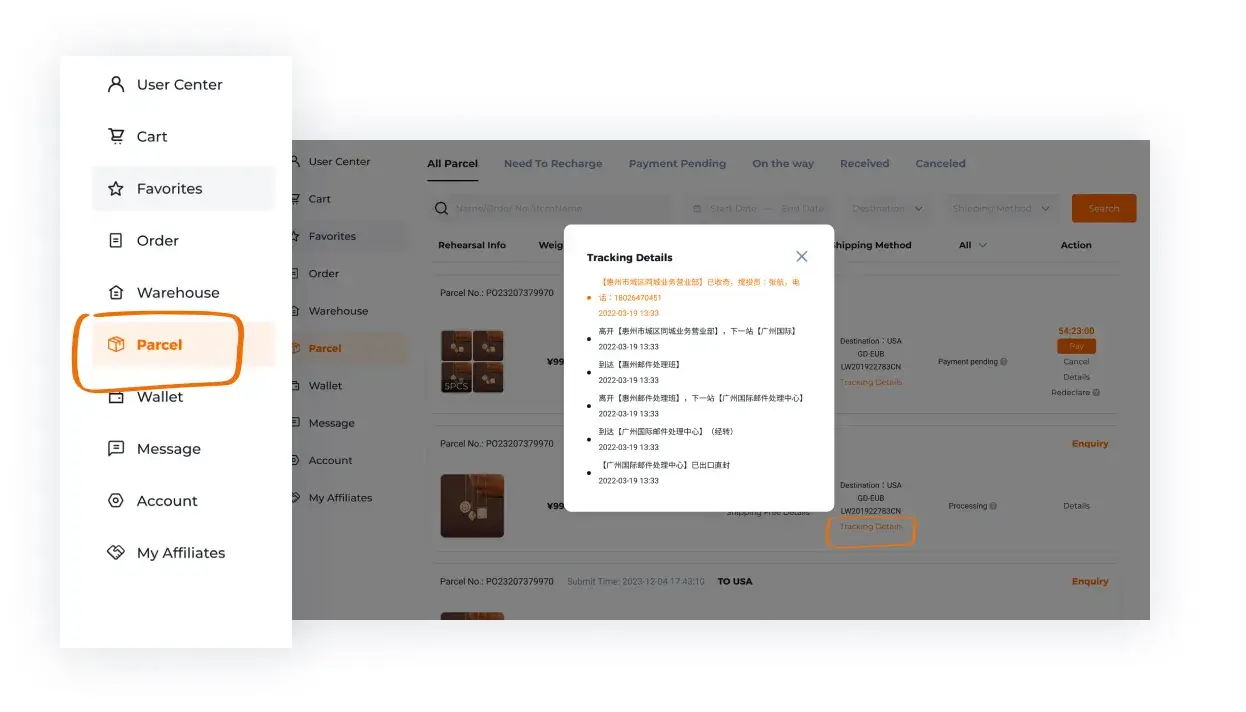
- Track and receive. Keep the parcel and carrier references, follow delivery instructions and check the contents on arrival. Retain the packaging and photos if you need to report a problem.
Check the cost breakdown · Learn the QC checks · Plan shipping
How to choose a seller
Open the shop attached to the current listing. Read recent feedback about this product or a closely related one, compare the measurement information and check the seller’s after-sales terms. A reused photograph does not mean two shops offer the same goods or return conditions.
How to choose a product
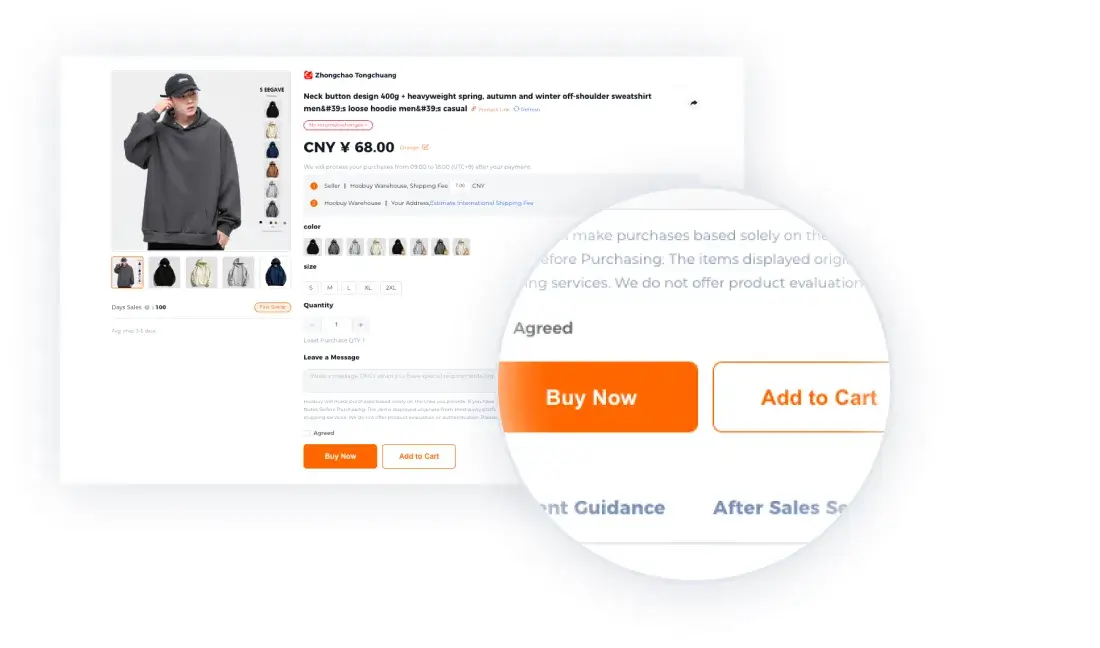
Confirm whether the listing supplies one item or a set, then select the exact colour, size, model and quantity. For clothing, compare the seller’s garment measurements with a similar piece you own. For a bag or accessory, check usable dimensions and fastening rather than judging scale from the photograph.
Save the URL and item ID beside those choices. If a material, function or included part is essential but unclear, ask before paying.
Submit the source and check the purchase total
Paste the URL into Hoobuy. Check that its imported title, photograph and options match your saved item. Read the item cost, domestic delivery and other displayed purchase charges, then select the payment method. Keep the resulting order number.
Hoobuy fees: the two payment stages
- Purchase: item price, seller-to-warehouse delivery and any displayed service or payment charges.
- Warehouse extras: optional photos, measurements or packing services, if offered and selected.
- International parcel: the chosen route, packing and any optional cover shown with your quote.
- At destination: check the applicable import rules and any charges outside the agent’s quote.
Currency conversion and the amount you pay
Compare the payable currency and final card or payment total, not only the yuan price on the listing. A payment provider’s conversion or fee can change that amount. Keep the transaction confirmation with your budget.
What is QC?
QC is the inspection information and photographs available for the item received at the warehouse. It gives you a chance to compare the delivered option and visible condition with your order before international shipping. Keep the original product notes beside that record.
A visible check can reveal the wrong colour, a missing part or surface damage. It cannot establish comfort, long-term durability, authenticity or every internal function.
How to check QC photos
QC means the checks and photographs available for the received item. First match quantity, colour and size label to your order. Then inspect visible damage, seams, print or hardware. Ask for a specific missing view or measurement if it affects your decision.
If the item is wrong or damaged, contact Hoobuy from that order and ask whether a return or exchange is available, what it costs and the deadline. Do this before submitting it for international shipping. Photos alone cannot settle authenticity, comfort or hidden faults.
International shipping: packing, routes and quotes
Select the warehouse items you want to ship. Review destination, contents, measured weight, dimensions and packing. Compare the available routes using the full current price, restrictions, tracking and any compensation terms. A smaller box can matter when a route charges by volume.
Tracking and checking the delivery
Save the parcel reference and carrier tracking number after dispatch. Read the latest scan and any instructions from the carrier. For a stalled parcel, ask Hoobuy with the parcel number, last scan date and destination; for a local delivery attempt, use the carrier’s contact route. If goods arrive damaged, keep the packaging and clear photos while you check the claim process.